To integrate a contact enrichment API into your CRM, you connect it via REST API calls that trigger automatically when a new contact is created or updated, passing an identifier like an email address or phone number and receiving a structured profile back with additional data fields. Most modern CRMs support this through native webhooks, middleware platforms, or custom code integrations. The sections below walk through what data gets added, how the connection works, and which platforms support it.
What data does a contact enrichment API actually add to CRM records?
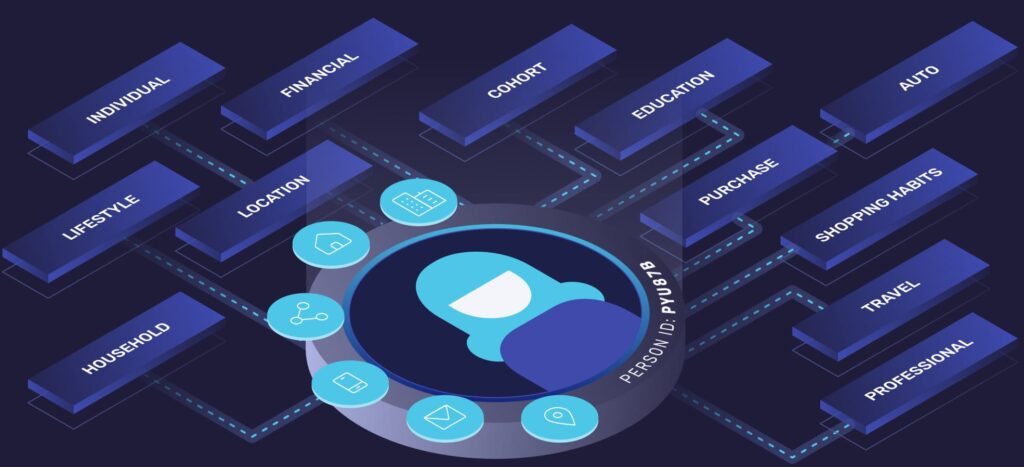
A contact enrichment API adds structured personal, professional, and behavioral data to an existing CRM record by resolving a single identifier into a complete customer profile. Rather than replacing what you already know about a contact, it fills in the gaps, turning a name and email into a rich, actionable record with over 900 unique data attributes.
The types of data a contact enrichment API typically appends include:
- Demographic data: Age range, location, household composition, and other personal attributes that help segment audiences more precisely
- Professional insights: Job title, employer, industry, and seniority level, which are especially valuable for B2B sales and account-based marketing
- Social profiles: Linked social media accounts that provide a fuller picture of a contact’s online presence
- Behavioral and interest data: Lifestyle signals and interest categories that support personalization at scale
- Audience segments: Pre-built or custom segments that allow immediate targeting without manual classification
The practical effect is that your CRM stops being a list of names and email addresses and starts functioning as a genuine intelligence layer. Sales teams can prioritize outreach based on professional fit, while marketing teams can build segments without relying entirely on first-party form data that contacts rarely fill out completely.
How does a contact enrichment API connect to a CRM?
A contact enrichment API connects to a CRM by sending an HTTP request containing a contact identifier to the API endpoint, receiving a JSON response with enriched data, and then writing that data back into the corresponding CRM fields. This process can run in real time when a record is created or in batch mode to update existing contacts.
There are three common integration patterns, each suited to different technical environments:
Webhook-triggered enrichment
Many CRMs allow you to configure a webhook that fires whenever a new contact is added. That webhook calls the enrichment API, and the response data is mapped back to the CRM record automatically. This approach requires minimal ongoing maintenance once it is set up and keeps records fresh from the moment of creation.
Middleware and no-code connectors
Platforms like Zapier, Make, or native CRM automation tools let non-technical teams build enrichment workflows without writing code. You define a trigger, connect the enrichment API using an API key, and map the returned fields to your CRM properties. This is the fastest path to enrichment for teams without dedicated engineering resources.
For organizations with development capacity, a direct API integration offers the most control. You can define exactly which fields to update, set conditions for when enrichment runs, handle errors gracefully, and schedule batch jobs to refresh stale records on a regular cadence. This approach scales well and integrates cleanly into existing data pipelines.
Which CRM platforms support contact enrichment API integrations?
Most major CRM platforms support contact enrichment API integrations because they are built around open APIs and flexible data models that accept external data writes. Salesforce, HubSpot, Microsoft Dynamics, Pipedrive, and Zoho CRM all provide the infrastructure needed to receive and store enriched contact data from an external API.
The level of effort varies by platform:
- Salesforce: Supports enrichment through Flow automations, Apex triggers, or third-party AppExchange connectors that call external APIs and update object fields
- HubSpot: Offers a workflows feature with webhook actions, making it straightforward to trigger enrichment on contact creation and write results back using the Contacts API
- Microsoft Dynamics 365: Supports enrichment through Power Automate flows or custom plugins that call external REST APIs
- Pipedrive and Zoho CRM: Both offer webhook support and API access, enabling enrichment through middleware tools or lightweight custom scripts
The key requirement across all platforms is a writable API or webhook system that allows external data to update contact records. If your CRM supports custom fields and outbound webhooks, it can almost certainly support a contact enrichment API integration regardless of the specific platform.
How FullContact helps with contact enrichment API integration
Our Enrich API is built specifically for this use case, resolving a single identifier like an email address or phone number into a complete customer profile in under 150 milliseconds. It is designed to slot into CRM workflows without disrupting existing processes, whether you are enriching records in real time at the point of capture or running batch updates across your full contact database. Key capabilities include:
- Over 900 unique data attributes spanning demographic, professional, behavioral, and social data
- Pre-built audience insights and segmentation bundles that map directly to marketing use cases
- Real-time API responses that fit naturally into webhook-triggered CRM workflows
- Privacy-safe identity resolution that respects consumer data preferences
If you are evaluating contact data enrichment for your CRM and want to understand which integration approach fits your stack, feel free to contact us, and we can walk through the options with you.